以下是与“n”相关的内容
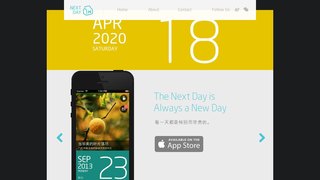
NextDay APP官网
NextDay APP官网,应用描述: NextDay 又改变了!请不要为它变得面目全非而感到震惊,仔细看,会发现它更有趣,和更生动! 坚持一件事情也会感到厌倦,更会才情枯竭,但还是努力让这件事情变得好玩吧,所以我们还一直在认真地玩。 谢谢各位长时间的陪伴,没有 NextDay 就没有你们的出现,但没有你们,就没有 NextDay 的今天和明天。 希望大家心中依然保持着对世界和人们的温情; 希望生命里值得回忆的日子越来越多; 你心中的美好世界,不是我们创造的,但如果我们也参与了一下下,倍感荣幸。
http://www.gotonextday.com/
Fantastical APP官网
Fantastical APP官网,应用描述: Fantastical is the award-winning calendar and tasks app with features like natural language parsing, beautiful Day, Week, Month, and Year views, and much more! TRY FANTASTICAL FOR FREE: • Beautiful, clean, and easy to use calendar app allowing you to manage basic events • The DayTicker and calendar makes your schedule look the nicest it ever has • 3 day weather forecast (powered by AccuWeather) • 14 day free trial for Fantastical Premium UPGRADE TO FANTASTICAL PREMIUM (requires subscription) • Includes Fantastical on all platforms: Mac, iPhone, Apple Watch, and iPad • Extended 10 day weather forecast with RealFeel and MinuteCast up-to-the-minute weather data (powered by AccuWeather) • Browse and instantly subscribe to interesting calendars, including sports, TV shows, holidays, and much more (powered by SchedJoules) • Full task support including Todoist and Google Tasks • Calendar sets - quickly toggle multiple calendars on or off with a simple click or automatically when you leave or arrive, based on location • Event and task templates • Sync calendar sets and templates across devices • Full screen day, week, month, and year views • Apple Watch app with Up Next and Weather (and works over LTE) • Parser autocomplete recommendations for invitees, locations, and calendars/task lists • Propose multiple times to easily ask people when they can meet • Combine duplicate events across multiple calendars • Invitees and availability lookups • Respond to event invitations • Default alerts • Time zone override • Favorite time zones • Push updates for Google and Exchange • Manage Google Hangouts, Google Meet, and Zoom events • Set event travel time and receive time to leave notifications: • Custom event colors • Custom home screen icons • Custom alert sounds • Hide events without deleting them • Add attachments to events on iCloud, Google, and Exchange • Priority email support ADDING NEW EVENTS OR TASKS IS FAST AND FUN • The easiest and fastest way to add new events or tasks • Type in your details or use dictation and watch your words magically turn into an actual event or task! • Powerful parser features, including: - Create tasks by starting your sentence with “task” ”reminder\", \"todo\", or \"remind me to\" - Powerful and expressive repeating events such as third Thursday of every month, every weekend, last weekday of the month, and more - Create alerts with phrases like \"remind me tomorrow at 3PM\", \"alert 1 hour before\", or \"alarm 3PM\" THE BEST TASKS APP TOO • See your events and dated tasks together in the main list • Add tasks directly from the Tasks list or new event screen - just flip the switch to toggle between events and tasks • Set dates, times, and geofences (when I arrive/when I leave) • Support for iCloud Reminders, Todoist, and Google Tasks WORKS THE WAY YOU DO • Connects to your favorite calendar services including iCloud, Google, Exchange, Office 365, Todoist, Yahoo, and more • Automatically add alarms to your new events • Fantastical is fully localized in English, French, German, Italian, Japanese, and Spanish • Start typing your event or task in any of these languages and Fantastical will automagically understand! EVEN MORE FANTASTICAL • Background app updating enables events, tasks, and alerts to be pushed to Fantastical even if you don\'t launch the app often • Birthdays - see your contact’s details or send a quick birthday greeting • Handoff support between Fantastical for Mac, iPhone, and iPad • Time zone support including floating time zone support • Dark and light themes • Stickers • Accessibility support • And much, much more!
http://flexibits.com/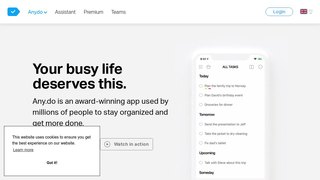
Any.do APP官网
Any.do APP官网,应用描述: 超过2500万人依靠Any.do来组织他们的生活并完成更多工作。任何设备上都有“它必须有APP”(NYTimes,WSJ,USA Today和Lifehacker)。一体化待办事项列表,日历,计划程序和提醒应用程序。自由和简单。 排名第一和任务列表: SYNCS在您的移动设备,桌面设备,网络和平板电脑之间无缝访问。让您所有的待办事项列表,任务,提醒,日历和日程始终保持同步,这样您就永远不会忘记任何事情。 在预定时间内获取提醒,当您到达特定位置或设置定期提醒时,您永远不会错过任何事情。 与共享列表和分配的任务协同工作,与任何人协作并完成更多工作。 具有简单而强大功能的小工具可随时保持您的待办事项列表和日历活动。 简单而强大的日历展望: 轻松查看您的活动和待办事项列表和日,周和月的任务。 通过手机的日历,谷歌日历,脸书活动,展望日历或任何其他日历实时同步,让您不会忘记重要事件。 完成任务的一体化应用程序: 为了轻松创建提醒,我们添加了语音输入,这样您就可以说出自己的想法,我们会将其添加到您的待办事项列表中。为了更好的任务管理流程,我们添加了日历集成,以使您的议程始终保持最新。为了提高您的工作效率,我们为定期提醒,位置提醒,子任务,备注和文件附件添加了跨平台支持。为了使您的待办事项列表始终保持最新,我们添加了一个独一无二的每日计划程序。 要做清单,日历和提醒简单: Any.do旨在让您轻松掌控自己的待办事项和日历,无需麻烦。由于直观拖放任务,滑动以标记待办事项完成,并摇动您的设备以从待办事项列表中删除已完成 - 您可以保持自己的组织并享受它的每一分钟。 强大的任务列表管理: 通过转发do@any.do直接从您的电子邮件收件箱添加待办事项列表项。将计算机,Dropbox或Google云端硬盘中的文件附加到您的任务中。打印,导出和分享您的杂货和日常差事列表。 生命组织者和日常计划者: Any.do是一个待办事项列表,一个日历,一个收件箱,一个记事本,一个清单,一个任务列表,一个发布其便签或粘滞便笺的板,一个项目管理工具,一个提醒应用程序,一个每日计划员,一个家庭组织者,总而言之,您将获得最简单,最实用的生产力工具。最重要的是 - 它是免费的基本使用! 分享列表和分配任务: 规划和组织项目从未如此简单。现在,您可以在家庭成员之间共享列表,相互分配任务,聊天等等。 Any.do将帮助您和周围的人保持同步并获得提醒,以便您可以专注于真正重要的事情,因为您知道自己有一个富有成效的日子,您可以从您的待办事项列表中完成许多任务。 杂货清单和购物清单: Any.do任务列表也非常适合在杂货店购物。在你的待办事项列表上就是一个方便的购物清单选项,你可以与他人分享。忘了购买便利贴?想要提醒吗?只需在Any.do上创建一个列表,与您所爱的人分享,并看到他们实时添加他们的购物项目。 在确认购买时,将通过iTunes帐户向自动续订订阅付款。 除非在当前期间结束前至少24小时关闭自动续订,否则您的帐户将在当前期间结束前24小时内收取续订费用。 我们将根据您选择的订阅计划收取您的帐户费用: 5.99美元 - 月度计划。 26.99美元 - 6个月的计划。 35.99美元 - 12个月计划。
http://www.any.do/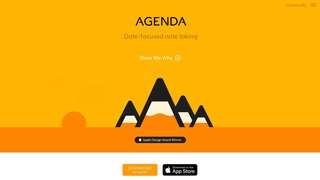
Agenda. APP官网
Agenda. APP官网,应用描述: Introducing Agenda, the award-winning elegant new take on notes. Agenda is a date-focused note taking app for iOS, iPadOS, and macOS, which helps you plan and document your projects. Agenda gives you a complete picture of past, present and future, driving your projects forward. Whether you\'re a business manager noting decisions in a meeting, a teacher planning next week’s lessons, or a blogger brainstorming a post, Agenda is ideal for tracking the evolution of your notes. It\'s the only note taking app with a strong emphasis on the passage of time, making it the perfect fit for any project. Use it for personal projects like jotting down recipes you’d like to try, or take on major projects at work, planning your next meeting or checking off your daily tasks. The notes in Agenda are beautifully styled, and include powerful features like images, file attachments, tags, lists, and links. You can even connect your notes to events in your calendar, and add due reminders to your tasks. Locating your notes also couldn\'t be easier, with powerful search, a project jump bar, and related notes list. And when you find what you\'re looking for, simply go back in the history to where you were. TAKE NOTES. DATE NOTES. Agenda’s unique timeline approach to organizing notes gives your projects momentum. While other apps focus specifically on the past, present, or future, Agenda is the only notes app that keeps track of each in a single timeline. Add notes for what is currently on your agenda, while you prepare other notes for an upcoming meeting. Use older notes as breadcrumbs to remind yourself why you took the actions you did. WHAT\'S ON THE AGENDA? You can attach dates to individual notes, and even link them to events in your calendar. But you can also put them “On the Agenda”. Notes that are On the Agenda are given special status. They get added to a special overview in the sidebar so you can find them in a flash. THE \'MEANING FULL\' TEXT EDITOR Agenda is a styled-text editor. Styled text is as easy to edit as plain text, but leads to visually stunning documents without breaking a sweat. Styles include headings, lists, indented blocks, and preformatted text. You focus on the meaning of your notes, and leave Agenda to handle the appearance. The resulting documents look fantastic, and can be converted to other formats like Markdown and HTML. NOTE-ALLY ORGANIZED Group your projects into categories to make them easier to find, and order the notes for each project however you choose. You can drag them around, apply dates, or use a mixed approach. You can also collapse notes to save space. TAKING IT TO TASK Do you sometimes find yourself using your task manager for more than it is intended? Agenda is a notes app that has excellent support for tasks. It supports different list styles, including checklists, and allows mixing tasks with more extensive notes. There is also direct integration with the Reminders app, so you can add reminders with a due date to any task. SHARE NOTES AND PROJECTS A notes app is not very useful if you can\'t share what you create. With Agenda, you can print and share notes, even whole projects, in standard formats like PDF, RTF and Markdown. You can also use the Agenda archive format to exchange exact duplicates of your notes with other Agenda users, including any attached files. MANY DEVICES, ONE AGENDA Nobody wants data silo-ed on one device, so Agenda has apps for Mac, iPad, and iPhone, and they sync up via your iCloud or Dropbox account. PURCHASING AGENDA Agenda is free, with no time limits. You can use it forever, at no cost. Agenda does offer extra premium features that require an In App Purchase. If you decide to purchase an upgrade, you permanently unlock all current features across all of your eligible devices. Even better, any features we add in the 12 months following your purchase are included, and permanently unlocked as well. All yours to keep.
http://agenda.com/
Mind Vector APP官网
Mind Vector APP官网,应用描述: Mind Vector是现在的iPhone,iPad和AppleWatch可用! 对利用思维导图协作来说,Mind Vectors是最受欢迎的选择。你可以在iPhone和iPad上用它来创建、分享及编辑导图。 appPicker的评价:“头脑风暴就是一个建立能激发创意灵感的可视化信号的过程,而Mind Vector在这方面非常出色。“ 描述: Mind Vecotor是一个满足你所有需求的思维导图软件。不论你是要做会议记录,课堂笔记,项目计划,网站地图或演讲稿,Mind Vector都是正确的选择。 Mind Vector iOS版使你能够将你所有的创意放在一处,并将它们转化为可行性计划。你也可将所有导图同步并保存于免费的Mind Vector云在Mac。如果不想用免费云服务,你也可以将此应用当作单机程序使用。 关键功能: -创建及编辑无限导图及节点 -可视化工具方便查看及分析导图 -使用免费账号轻松实现导图多设备间同步 - 剪切、复制及粘贴创意 - 点击按住以分组 -拖动放置即可实现 -不连接网络也可在本地创建导图 - 收起及展开思维枝干 -智能搜索轻松导航 - 通过撤销及恢复轻松修改导图 -在设备上直接分享导图 -支持多点触控来拖拽、放置、放大缩小及移动 -添加图标、颜色、线型及导图主题 -查看并编辑节点、链接、任务及附件 - 绘制出思维的最快方法 - 将导图导出为CSV、PDF及PNG格式 -保存导图至相册或电邮出去 - 添加图片或照片 -按自己的选择给背景添加颜色 -添加图片作为导图背景 -将节点复制粘贴至另一导图 -导入/导出导图至iCloud, Dropbox及Mind Vector -与你的朋友或同事协作导图 -也可在Mac及网页版上使用 -兼容最新版本的iOS系统 -出色的技术支持。 语言选项:英语,中文,西班牙语,法语,意大利语,葡萄牙语,荷兰语,俄罗斯语,德语及日语。 Mind Vector让你能以“思考的速度”绘制出你的想法。无论你是一名忙碌的工作者还是学生,Mind Vector都确保你不会弄丢你的大创意。 在思维导图中绘制出来是记住你思路的最聪明的办法。你还可以将你棒棒哒创意与你的朋友或同事分享,并将其转化为可行性计划。
http://cn.mindvectorweb.com/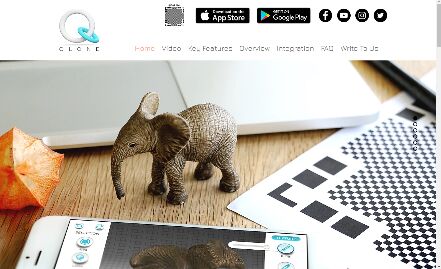
Qlone 3D扫描仪APP官网
Qlone 3D扫描仪APP官网,应用描述: Qlone, the all-in-one tool for 3D scanning. We have made it easy and fast to 3D scan real objects, using your phone\'s camera, modify them in app and seamlessly export the result to many platforms, 3D file formats and 3D printers… all on your iPhone or iPad. A perfect tool for AR/VR (Augmented Reality) content creation, 3D Printing, STEM Education, eCommerce showcase and many other uses. SCANNING: Scanning real objects has never been easier. Print the included AR mat, place your object in the middle of the mat and let the Augmented Reality dome guide you through the scanning process. 3D scan the object from two different angles and it will be auto merged for better and more complete 3D results. With Qlone, there is no waiting time, all processing is done live on your phone in seconds. Print the mat directly from the app with AirPrint or send it as a mail and print out. MODIFYING: With the integrated tools in the app so you can optimize and modify your 3D model without needing to export them. TEXTURE - Change the Brightness, Saturation and Sharpness of the 3D model. Pick colors from the scanned object and apply them by painting directly on the 3D model. Blur areas or transitions for smoother results. CLEAN - Improve the quality of the model by erasing unwanted areas or smoothing the surface. SCULPT - Improve or alter the shape of your object by pressing or pulling a selected area and adjust the transition. SHAPE- Enhance the mesh details or set the scale size of your model for 3D printing, simplify the mesh for lower file size export. ART - Turn your object into scaled cubes or meshed objects of art, ready to be printed. AR View + Animation (Premium feature): You can beam your 3D model back to reality with the AR View button and see it on the Qlone mat. Supported devices on iOS 11 will automatically use the ARKit solution to experience AR without the mat and bring the 3D models to life with automatic rigging and animation. EXPORTING and IMPORTING: Export your model directly to platforms like SketchFab, Google Poly, i.materialise, Lens Studio, Shapeways and CGTrader. Models can be exported in a variety of formats for use in other 3D tools – OBJ, STL, FBX, USDZ, GLB (Binary glTF), PLY, X3D. Share your models with friends through Facebook, Twitter, Instagram, WhatsApp, Email and SMS, even as an animated GIF. You can also send your unlocked OBJ models to other Qlone users by email and they can import them into the app by long pressing the ZIP attachment. PREMIUM FEATURES: Scanning in 4K, AR view and exports require a purchase of export packs or the Unlimited Exports option. PRICING OF EXPORTS: Exports are in app purchases. When you purchase export packs, each export will unlock a single model for unlimited exports of that model in any format. Export credits work across all your Apple devices. NEW! ONE-TIME UNLIMITED EXPORTS OPTION: When you purchase unlimited exports, all models in your gallery and future models will be unlocked for unlimited exports in any format and it will work across all your Apple devices.
http://www.qlone.pro/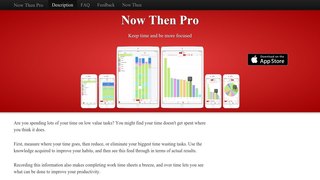
Now Then APP官网
Now Then APP官网,应用描述: 记录并分析您的时间。因为时间无比宝贵。 高速、简单的时间跟踪: • 简单、专注的时间跟踪工具。 Now Then 全力专注于追踪时间,别无所求! • 我们尽力保持界面简洁,避免造成拥挤、欲速不达。 • 记录各项工作所花费的时间。 • 精确地跟踪花费的时间。 • 快速更改当前任务。 • 使用适合你的任务列表。 我们不对你的任务列表结构添加任何限制。 • 我们的任务列表为层级式 - 可以扁平、简单,亦可深入、复杂,一切都由你来决定。 • Now Then 允许添加最多 30 个任务。 • 力求零干扰。 操作简单。步骤少,进出快。 • 力求将键盘使用保持在最低。 提高效率: • 使用清晰、色彩鲜艳的图表来快速找出运用不合理的时间。 • 吸收反馈,变更战术,提高效率。 • 看看您实际花时间做了些什么,而不是安排要做的事情。 功能特性: • 此时视图 - 高速简单的任务选择器,记录你此时的工作。 - 只需轻按即可开始或停止任务(点按其他任务即可快速切换)。 - 使用“此时”可随时编辑任务列表。 - 随意重新排列任务。 - 通过编辑母任务来将列表中的某个分支整个移动到另一个位置。 • 彼时视图: - 何时,做过什么。 - 以日、周、月等形式查看。 - 时间分配的视觉记录。 - 编辑事件记录。 - 亦可事后添加。 • 图表视图: - 查看在每项或每组任务上花费时间所占的比例。 - 以日、周、月、年方式等生成柱状图和饼状图。 • 使用任务、日期或时间等条件来过滤彼时和图表。 • 共享图像: - 通过邮件、信息以及 Facebook、Twitter 等社会服务来共享。 - 可存储至‘照片’,或拷贝并粘贴到其他 App,亦可直接打印。 • 备份和恢复: - 自己制作备份并在外部存储。 • 专为 iPhone、iPod touch 和 iPad 设计。 应用范围: • 项目时间跟踪器 • 时间表助手 • 客户时间跟踪 • 学习跟踪器 • 工作日志 • 活动计时 升级到 Now Then Pro 可享用: • 无限任务 • 提醒 • iCloud 同步 • 共享 CSV 数据文件 立即使用 Now Then,帮你变得更加高效!
http://www.angryaztec.com/
DocuSign APP官网
DocuSign APP官网,应用描述: 通过电子方式签署和发送文件,为您的客户和员工提供卓越的体验。使用 DocuSign 的移动应用程序,您几乎可以在几分钟内完成签署合同、批准和其他协议。使用受全球数亿用户信赖的 eSignature 解决方案,更快地开展业务并提高效率。 • 免费填写和签署文件,无任何月度限制。 • 发送文档给他人签署。 • 从任何地方安全地存储、管理和访问您的文档。 最常使用 DocuSign 签名的文档类型: • 保密协议 (NDA) • 销售合同 • 医疗护理文档 • 金融协议 • 豁免书 • 许可证 • 租赁协议 主要功能: 签署文档: • 免费填写和签署文件,无任何月度限制。 • 通过电子邮件、Dropbox、Box、Evernote、Google Drive 和其他途径向任何人发送完整文档。 • 直接从 iPhone 或者 iPad 创建和自定义您的个性化签名。 • 支持 PDF、Word、Excel、图像 (JPEG、PNG、TIFF)、文本和更多其他格式。 • 在 DocuSign 打开电子邮件附件,或从 Dropbox、Box、Google Drive`、Evernote 或 Salesforce 等云服务打开重要文档。 • 脱机访问功能让您即使没有互联网连接 (甚至在飞机上) 都可签署文档。 发送文档: • 移动功能允许您在设备上导入并编写文档。 • 使用“在此签名”等标签指引您的签署者在准确的位置进行签名、写下姓名缩写,或添加信息。 • 为多位签署者设定签署顺序和工作流程。 • 文档签署完毕后接收实时推送通知。 • 单击一下,即可提醒签名者进行签名。 • 作废已经发出的待签文档。 • 支持当面和远程签名选项。 法律效力及安全: • 具备法律效力 - DocuSign 的合法签名符合电子签名法案 (eSign Act)。 • 完整审查轨迹,能够查看签署人、签署时间和签署地址。 • 文档加密 - 比纸质文档更安全,更保密。 • DocuSign 符合 ISO 27001 SSAE16 标准。 虽然我们的免费套餐已经包含了无限签署功能,但我们还有几个高级套餐供您选择,其中包含更多功能和文档发送次数。您可以在应用程序中点案\"升级\"按钮,访问高级套餐的详细信息。 标准套餐: • 发出有待签署的文档。 • 使用高级字段功能,包括 DocuSign 最受欢迎的各种功能。 • 随时随地管理签名。提醒、作废、亲自签名及可重用模板。 • 只需每年 $299.99 或每月 $39.99
http://www.docusign.com/
Send Anywhere APP官网
Send Anywhere APP官网,应用描述: Send Anywhere是个免费的跨平台传输软件,使用不受平台和文件大少的限制,无需注册和登录。 支持的平台非常广,可以算得上是全平台。将您iPhone的文件传输到其他人或机器,有了Send Anywhere不能再方便了。 • 6位密钥: - 点击要传输的文件,就会弹出6位数密钥。 - 在接收设备上输入该密钥并立刻下载文件。支持照片、视频、音乐,以及文档和apk文件形式,并且也可以通过扫二维码来传输。6位密钥可在10分钟内有效 • 分享链接: 分享的链接在48小时内有效,并且收件人可无数次地下载文件。若要在网页里下载文件,可直接点击链接;若要在app上下载文件,只需将链接复制粘贴。分享链接的有效时间可在app内继续延长 。 • To-device 传输: 在经常使用的设备上传输文件时,可以使用To-device传输。无需6位数密钥或分享链接,仅在目录里选择要传输的其他设备即可 • 视频播放器: 可以将大容量的视频文件快速传输,并在App内直接播放。视频播放器支持视频和字幕文件同时播放并无需编码。 不再需要iTunes咯! • 音乐播放器: 可以将你喜欢的音乐轻易地从电脑传输到你的手机!Send Anywhere 音乐播放器支持创建播放目录,随机播放,反复播放等功能。不再需要iTunes咯! 随时欢迎您提供反馈。如有任何问题或建议,请通过“发送反馈”菜单发送消息,或发邮件至ios.support@estmob.com。
http://send-anywhere.com/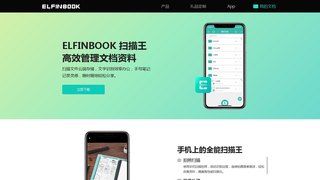
Elfinbook APP官网
Elfinbook APP官网,应用描述 Elfinbook是一款随身携带的文档扫描王,OCR文字识别仪,手写笔记应用。扫描文件,自动裁剪文档背景,生成PDF、图片或文本。 云端存储,自动备份在云端,在手机、平板、电脑上查看,你也可以存储到印象笔记、有道云笔记、百度网盘等。 还可以分享到微信、QQ、微博、Twitter、Facebook、Instagram,与朋友共享知识。 学生、商务人士、设计师每天都在使用Elfinbook扫描管理笔记文档,是非常给力的效率办公工具。 ----功能亮点---- 【手机上的扫描全能王】 1. 使用手机相机扫描拍照,自动识别文档边框,裁剪杂乱背景,生成高清图片,导出PDF文件。 2. 高品质扫描,自动优化图片获取高质量的扫描件,媲美高性能扫描仪。 3. 多种图像处理模式,文档、绘画、黑白多种效果可选,也可手动调节参数,快速将纸质笔记转换为电子文档。 【免费OCR文字识别】 1. 识别图片中的文字,高准确率,支持中文、英文、法语等多种语言。 2. 可以对识别的文字编辑、复制、分享。 【手写笔记随处办公】 1. 备注注释、标记重点、文本图片,多种样式让你的笔记更加丰富。 2. 灵敏精准的书写体验,犹如纸上书写一般。 3. 在课堂、办公室和家中随处记录你的灵感。 【安全的文件管理】 1. 多级目录管理文档,清晰的树状文件夹管理结构,文件清晰、一目了然。 2. 应用加密,支持面容/指纹解锁,安全管理。 【自动备份云端同步】 1. 使用自动备份,将文件存储在云盘。 2. 手机、平板、电脑、多设备随时查看管理文档。 ----谁在使用Elfinbook---- 学生:扫描课堂笔记复习资料,备注注释编辑重点,随时查看随时编辑。 商务人士:OCR智能文字识别,将图片转化为可编辑的文字笔记;待办清单,日程计划,会议记录,备忘录,记账日记,高效办公。 设计师:扫描存储设计手稿,美美地分享给微信朋友。 ----怎么联系Elfinbook团队---- 如果你有任何建议或问题,欢迎联系我们: 微信:ElfinbookAPP 邮箱:elfinbook@hzqihui.cn 若你喜欢Elfinbook,请花一点时间给我们写评论吧,谢谢。 在微信上关注我们,搜索公众号:Elfinbook 在新浪微博上关注我们 @Elfinbook 在小红书上关注我们 @Elfinbook 在Twitter上关注我们 @Elfinbook13
http://www.elfinbook.com/
推荐站点
 微博官网
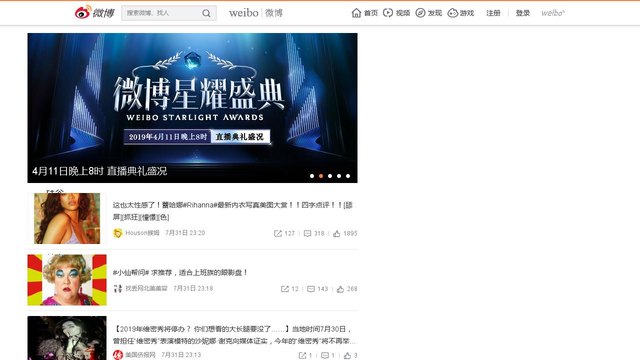
微博官网北京微梦创科网络技术有限公司为新浪微博的独立注册公司,于2010年10月11日在北京海淀区注册。2014年3月27日晚间,新浪微博左上角的LOGO悄然更换,原有的“新浪”二字消失不见,却而代之的是更大字号的“微博”字样。截止目前,“新浪微博”称谓已经使用4年多时间。
http://weibo.com/ 360搜索
360搜索360搜索是安全、精准、可信赖的新一代搜索引擎,依托于360母品牌的安全优势,全面拦截各类钓鱼欺诈等恶意网站,提供更放心的搜索服务。 360搜索 so靠谱。
http://www.so.com/ 京东商城网上购物
京东商城网上购物,京东JD.COM-专业的综合网上购物商城,在线销售家电、数码通讯、电脑、家居百货、服装服饰、母婴、图书、食品、在线旅游等数万个品牌千万种优质商品。便捷、诚信的服务,为您提供愉悦的网上商城购物体验!
http://www.jd.com/ 凤凰网
凤凰网凤凰网,凤凰网是中国领先的综合门户网站,提供含文图音视频的全方位综合新闻资讯、深度访谈、观点评论、财经产品、互动应用、分享社区等服务,同时与凤凰无线、凤凰宽频形成三屏联动,为全球主流华人提供互联网、无线通信、电视网三网融合无缝衔接的新媒体优质体验。
http://www.ifeng.com/ 百度一下
百度一下百度一下,全球最大的中文搜索引擎、致力于让网民更便捷地获取信息,找到所求。百度超过千亿的中文网页数据库,可以瞬间找到相关的搜索结果。
http://www.baidu.com/
最新点入
- 亿推网
亿推是国内第一个专注优秀网站推广,网站推荐,网站收录入口的网站信息平台。全力为站长和网站提供服务为己任,免费提供网络营销推广,提供全面的站长资讯!
http://www.ett.cc/ - 亿推移动网站
亿推移动网站,网址:www.ett.cc 亿推是国内第一个专注优秀网站推广,网站推荐,网站收录入口的网站信息平台。全力为站长和网站提供服务为己任,免费提供网络营销推广,提供全面的站长资讯!
http://www.ett.cc/ - 微软必应搜索
微软必应搜索,微软必应搜索是国际领先的搜索引擎,为中国用户提供网页、图片、视频、词典、翻译、资讯、地图等全球信息搜索服务。
http://cn.bing.com/ - 百度一下
百度一下,全球最大的中文搜索引擎、致力于让网民更便捷地获取信息,找到所求。百度超过千亿的中文网页数据库,可以瞬间找到相关的搜索结果。
http://www.baidu.com/ - qq浏览器器
qq浏览器,腾讯QQ浏览器官方网站,提供最全最新的QQ浏览器软件下载,是新一代双核浏览器,设计了全新的界面交互和程序框架,为用户打造快速、稳定、安全的优质浏览器
http://browser.qq.com/